
Question
A Question is a legacy Salesforce standard object.
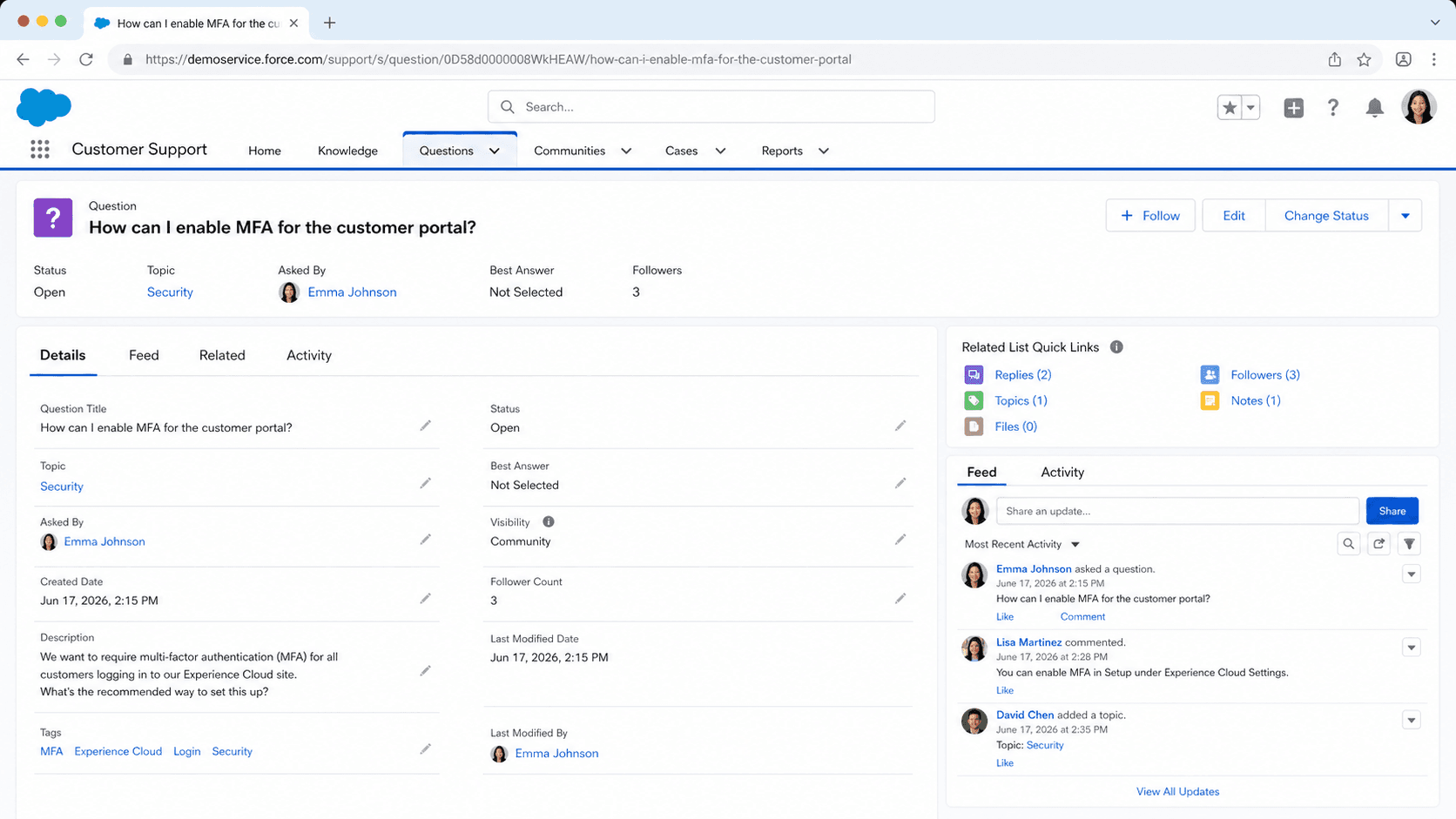
Definition
A Question is a legacy Salesforce standard object. It stores a customer question posted to an answers zone, plus its title, body, reply count and chosen best reply. This is the data model behind two withdrawn features, Answers and Chatter Answers. It appears only when a permission and its matching preference are both on, for Answers or for Portal Feed.
Confusingly, the same word names something current and unrelated. A Chatter Question is a FeedItem whose Type is QuestionPost. It has no link to the Question object: answers are FeedComment records, and the best one is referenced by BestCommentId.
If you are building anything today, Chatter Questions is the path. The Question object matters mainly because inherited orgs still carry thousands of its rows.
In plain English
“Salesforce used to have a help forum built into it. When a customer typed in a problem, the system saved that problem as a Question and stacked every reply underneath it. Salesforce turned the forum off. The old rows are still sitting in the database, holding conversations nobody is adding to.”
Worked example
A regional utility inherits an org from a 2014 implementation. During a Service Cloud cleanup, an admin runs SELECT Id, Title, NumReplies, BestReplyId, Origin FROM Question ORDER BY LastReplyDate DESC and gets 4,180 rows back. The newest LastReplyDate is 2017-11-02, and Origin reads Chatter Answers on most of them. Roughly 900 rows have a populated BestReplyId, so a human actually picked a resolution. The team exports Question and Reply together, joined on Reply.QuestionId, and turns the best-reply text into draft Knowledge articles. Nothing gets written back to Question: the zone that surfaced it was switched off years ago. The export becomes the archive, and new customer questions go to Chatter Questions in the Experience Cloud site instead.
Two things named Question, and only one of them is current
The object model behind an answers zone
Question sits at the top of a small legacy hierarchy. Title holds the searchable one-liner, Body holds the detail, and CommunityId points at the zone, which was the old name for a public Q&A space. Every response is a separate Reply record with QuestionId pointing back at the parent. Voting is real here. The Question carries UpVotes and a VoteScore, which sorts the Popular tab. Each Reply carries its own UpVotes, DownVotes, and a VoteTotal. When a resolution is picked, BestReplyId on the Question points at the winning Reply. NumReplies and LastReplyDate are maintained for you.
Why it counts as legacy now
Salesforce is blunt about the lineage. Answers stopped being available in new orgs after Summer '13. Chatter Answers stopped after Summer '16, and it now sits on the active retirement list, honored only until each customer's subscription ends. Both were built on this object. It still ships in the Summer '26 object reference, so your data has not evaporated. But the access rule is narrow. The object appears only when Answers with AnswersEnabled, or PortalFeed with PortalFeedEnabled, is turned on. Switch those off and Question vanishes from the UI while every row stays put in the database.
What replaced it, and how that one works
Chatter Questions works nothing like the old zone in daily use. Posting one is a publisher action, not a record you create: pick Question from the Chatter publisher's action menu, or open the Question tab. As you type the title, Salesforce offers similar existing questions so nobody asks it twice. Either the asker or a moderator can promote one answer to best. It gets a check mark, and a copy is pinned above the rest of the thread. Title is one of the very few FeedItem fields you can edit after posting, and only on question posts. Mobile is thinner: no similar-question suggestions while you type, and no best-answer selection at all.
Two things to check before you touch any of this
First, new orgs created in Summer '26 or later ship with Chatter switched off, in Enterprise, Unlimited, and Developer Editions. Anything depending on Chatter functionality or the Chatter APIs does nothing until an admin opens Setup, Chatter Settings and clicks Enable. That catches teams expecting the Question action on day one. Second, a stalled Chatter Question can become a Case through Question-to-Case. That is the supported bridge from peer help into your service queues, with an owner and an SLA. Neither of those does anything for the old Question object. Migrate that data out or treat it as an archive.
Fields that decide whether an export is readable
Pull the object into a CSV and a few fields will surprise you. HasSingleFieldForContent is the one that costs people data. When it is true, the whole post lives in one field: Title when the text was unformatted and under 255 characters, Body when it was formatted or longer. When it is false, it splits across both. Export one column and a chunk of your rows arrives blank. BestReplySelectedById records who chose the winner, usually the more useful audit fact. It arrived in API version 24.0, and until version 30.0 you could only set it through the interface. Reply carries a Name field Salesforce fills in for you, holding a truncated plain text copy of the reply body. Three counters ride along as well: NumSubscriptions, NumReportAbuses, and MostReportAbusesOnReply. Title is an idLookup field, so an upsert can key on the question text itself, and LastReplyId is read only.
The satellite objects a zone dragged along
Question never traveled alone, and the satellites are where an export stalls. QuestionDataCategorySelection holds the category that filed a thread, and ParentId names the question it belongs to. The API accepts several categories per question, but the Answers tab only ever honored one, and Salesforce warns that extra selections behave unpredictably there. QuestionSubscription, added in API version 24.0, tracks followers. Query it and you have to include a LIMIT of 1,000 or fewer, and the WHERE clause can filter only on Question fields. QuestionReportAbuse stores each flag with a Reason of Spam, Hateful, or Inappropriate. You can insert and read those rows and nothing else, because the object supports no update call and no delete call. Votes sit on the shared Vote object as Up or Down. A SOQL query there has to filter by ParentId, Parent.Type, or Id. Since Summer '20 only authenticated internal and external users can read it.
Rebuilding an old thread as a feed post
Nothing converts a zone into feed posts for you. You rebuild it, insert by insert. FeedItem and FeedComment will both accept CreatedBy and CreatedDate at insert time, provided the running user holds the Insert System Field Values for Chatter Feeds permission. A rebuilt thread can therefore keep its original author and date. Get it right the first time, because neither field can be changed after that insert, and a guest user is refused the permission outright. While you are in there, decide which comments deserve IsVerified, the Company Verified flag added in API version 41.0 and tracked separately from best answer. QuestionPost is one of only four feed item types Salesforce expects you to create directly, next to ContentPost, LinkPost, and TextPost. Deletion rights are narrower than people expect: Moderate Chatter reaches only what that moderator can already see.
How organizations use Question
Exports Question and Reply rows into draft Knowledge articles before switching the dormant zone off for good.
Runs peer support on Chatter Questions in its Experience Cloud site and escalates stalled threads with Question-to-Case.
Trust & references
Cross-checked against the following references.
- Differences Between Q&A Features in Salesforce (opens in new tab)Salesforce
- Chatter Answers Retirement (opens in new tab)Salesforce
- Chatter Questions Overview (opens in new tab)Salesforce
- Chatter Is Turned Off by Default in New Orgs Beginning in Summer '26 (opens in new tab)Salesforce
- Salesforce Active Product & Feature Retirements (opens in new tab)Salesforce
Straight from the source - Salesforce's reference material on Question.
- Question | Object Reference for the Salesforce Platform (opens in new tab)Salesforce
- Reply | Object Reference for the Salesforce Platform (opens in new tab)Salesforce
- FeedItem | Object Reference for the Salesforce Platform (opens in new tab)Salesforce
- FeedComment | Object Reference for the Salesforce Platform (opens in new tab)Salesforce
- QuestionSubscription | Object Reference for the Salesforce Platform (opens in new tab)Salesforce
- QuestionDataCategorySelection | Object Reference for the Salesforce Platform (opens in new tab)Salesforce
Hands-on resources to go deeper on Question.
About the Author
Dipojjal Chakrabarti is a B2C Solution Architect with 29 Salesforce certifications and over 13 years in the Salesforce ecosystem. He writes and edits salesforcedictionary.com, published by KineticBit Inc., to help admins, developers, architects, and cert/interview candidates sharpen their fundamentals. More about Dipojjal.
Test your knowledge
+5 pts / dayQ1. Which two Salesforce features were built on the Question standard object?
Q2. A moderator marks a reply as the best answer on a Chatter Question. Where does Salesforce store that pointer?
Q3. Your org is a brand new Developer Edition on Summer '26 and the Question action is nowhere in the Chatter publisher. What is the most likely cause?
Discussion
Loading discussion…