
Flow Debt Gets A Native Filter
The Winter '27 guidance that landed across the ecosystem on Monday is not about agents. It is about a filter in the Flow Builder Manager tab that shows every resource in a flow that nothing references, and a tagging layer that finally gives the Automation app an index. Wave one orgs have both already. Everyone else has four weeks to decide what to do with them.
Open a flow you inherited, click the Manager tab, and count the variables you cannot account for. In an org running Winter '27, there is now a filter that does the counting for you.
That filter is the quiet headline of the long weekend. The Winter '27 guidance that circulated across the ecosystem on Monday was not about agents or pricing. It was about two Flow Builder additions aimed squarely at the mess in your automation folder: a filter that surfaces every resource in a flow that nothing references, and a tagging layer that gives the [Automation app](/terms/automation-app) something like an index.
Wave one production orgs already have both. Everyone else gets them across the first two weekends of October, which makes the next four weeks the natural window to work out what you would do with them.
What The Filter Actually Does
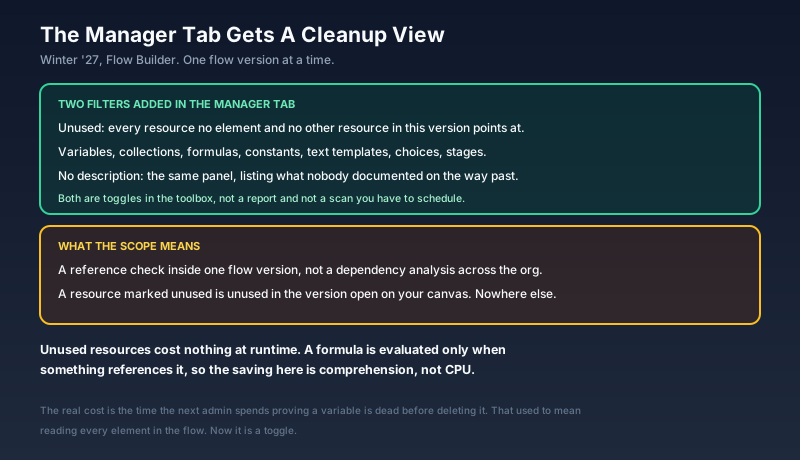
The filter sits in the Manager tab of the Flow Builder toolbox, the panel where your variables, formulas, constants, choices and text templates live. Turn it on and the list collapses to the resources that no element and no other resource in that flow version points at. A companion filter does the same job for resources with no description.
Two things about the scope are worth getting right before you start deleting.
First, it operates on one flow version. A variable the filter calls unused is unused in the version open on your canvas, not across the flow's history and not across the org. Second, unused resources cost you nothing at runtime. A formula resource is evaluated when something references it, so a formula nothing references never runs. Anyone selling this as a performance win is selling you something.
The cost is comprehension. A dead element sits on the canvas where you can see it. A dead variable sits in a panel nobody opens, and the next admin has to prove it is dead before touching it. That proof used to mean reading every element in the flow. Now it is a toggle.
Why The Count Went Up
There is a reason Salesforce is shipping housekeeping tools into Flow Builder in the same release that redrew the canvas.
Flow stopped being one team's tool years ago. Process Builder and Workflow Rules were retired into it, which pushed a decade of migrated automation into the same folder. Screen flows became the way you build anything that needs a form. Then agent actions arrived, and an invocable flow turned into the standard way to give an agent something safe to do, which means every new agent use case tends to arrive with a flow attached.
The result in a typical enterprise org is a few hundred flows, built by people who have since moved on, under naming conventions that changed twice. Nothing about that inventory is visible from Setup beyond a list you can sort by label and last modified date.
Salesforce has been telling admins to treat automation as an asset for years without giving them the tools to inventory one. This release is the first move in the other direction, and it is a small one.
Tags Are The Other Half
Tags were on the Winter '27 list from the start, and we flagged them in August when the feature documentation began circulating. What Monday's coverage added is the working shape of them.
You apply tags when you save a flow, choosing one or more from the tags available to you. Tags roll up into categories, so a flow can carry a tag from each of several dimensions rather than one label doing all the work. The Automation app gets a Tags tab, where you can open a tag and assign flows to it in bulk instead of opening each flow to edit its save dialog.
That bulk path matters more than it sounds. Nobody is going to open 340 flows individually to categorise them. Being able to start from the tag and pull flows toward it is the difference between a taxonomy you build once and a taxonomy you abandon on flow 40.
A taxonomy that survives contact with a real org tends to be boring. Owner, so somebody's name is attached when the flow breaks at 4 p.m. on a Friday. Business domain, so you can pull every flow touching quoting without knowing what anyone called them. Lifecycle stage, so a flow built for a migration that finished in 2024 is labelled as such rather than left looking permanent.
One caution. Nothing in the feature makes a tag mandatory at save time, so the taxonomy holds exactly as long as your team's discipline does. If you want tags to mean anything in six months, decide the categories before you tag anything and write them down somewhere your admins actually read.
The Four Things Neither Feature Finds
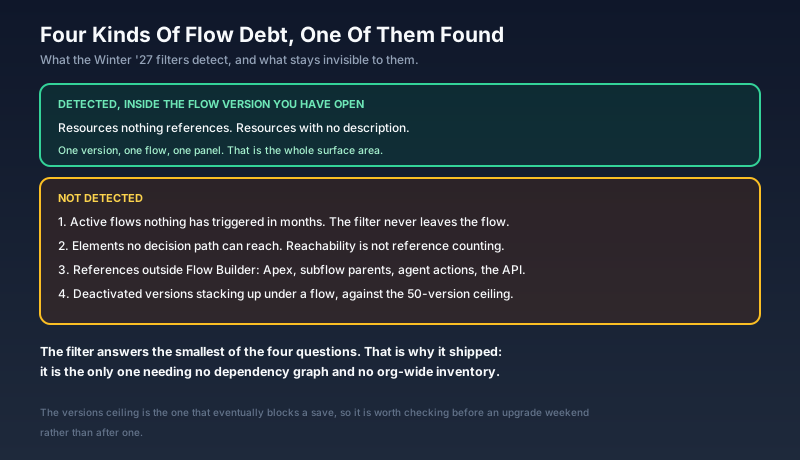
Read the feature for what it is and it is genuinely useful. Read it as a debt solution and you will be disappointed in about a week.
Flows nothing triggers. The filter never looks outside the flow you opened it in. An active record-triggered flow on an object your business stopped using in 2023 is invisible to it, and that is the more expensive kind of dead weight, because it still evaluates on every qualifying save.
Elements no path reaches. Reference counting and reachability are different questions. A decision branch whose condition can never be true still references its variables, so everything inside it looks alive.
References that live outside Flow Builder. Apex that invokes a flow, a parent flow calling this one as a subflow, an Agentforce action bound to it, an external system firing it over the API. None of that appears in the Manager tab.
Versions piling up underneath. A flow tops out at 50 versions. Most orgs never think about it until a save fails, and the Manager tab is not where that shows up.
The new filter answers the smallest of those four questions. That is precisely why it works: it is the only one you can answer without a dependency graph or an org-wide inventory, so it is the only one Salesforce could ship as a toggle.
The Calendar You Are Working Against
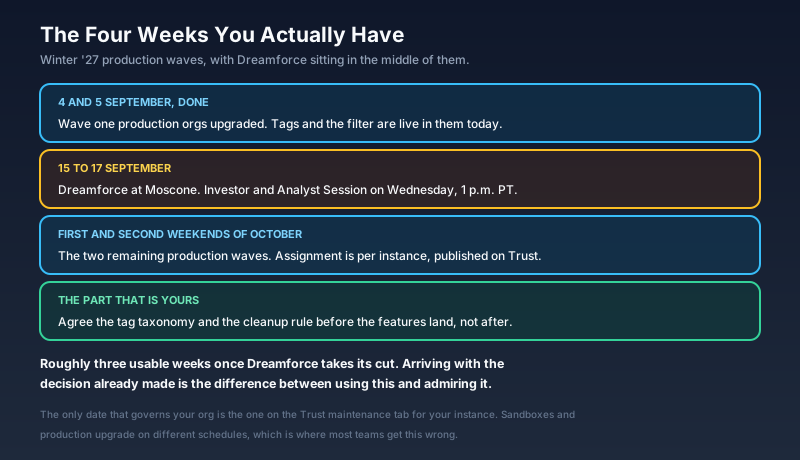
The first production wave ran over the weekend of 4 and 5 September. The two remaining waves fall on the first and second weekends of October. Instance assignment follows no pattern worth guessing at, so the date that governs you is the one on the Trust maintenance tab for your instance, not the one your neighbour quoted at a user group.
Dreamforce sits in the middle of that window, 15 to 17 September at Moscone Center, with the Investor and Analyst Session on Wednesday the 16th at 1 p.m. Pacific. If your team is going, assume the conference eats a working week.
So the honest arithmetic for an org in the October waves is about three usable weeks. That is enough time to agree a tag taxonomy and a cleanup rule. It is not enough time to inventory 300 flows, which is why the taxonomy comes first.
Elsewhere On Monday
The other two pieces the ecosystem published were both aimed at admins, and both are worth twenty minutes.
The first was an admin-level explainer on the Model Context Protocol, and its most useful line is the one people keep getting wrong: MCP is a general AI technology, not a Salesforce feature. Salesforce-hosted MCP servers have been generally available for Enterprise Edition and above since April, with authentication and permission enforcement handled on the platform side. The part that catches teams out is the billing. Agentforce actions invoked through MCP, and Data 360 queries, draw on Flex Credits, so an agent that politely retries a failing tool is a line on your bill.
The second revisited whether Salesforce customers are paying more than they need to, four days after the Core, Advanced and Max editions replaced Enterprise and Unlimited on the price list. The timing is not accidental. Premium-edition attach rates are among the numbers analysts expect to hear about at the investor session on the 16th, and the customer-side version of that conversation is the one happening in renewal meetings right now.
What To Do This Week
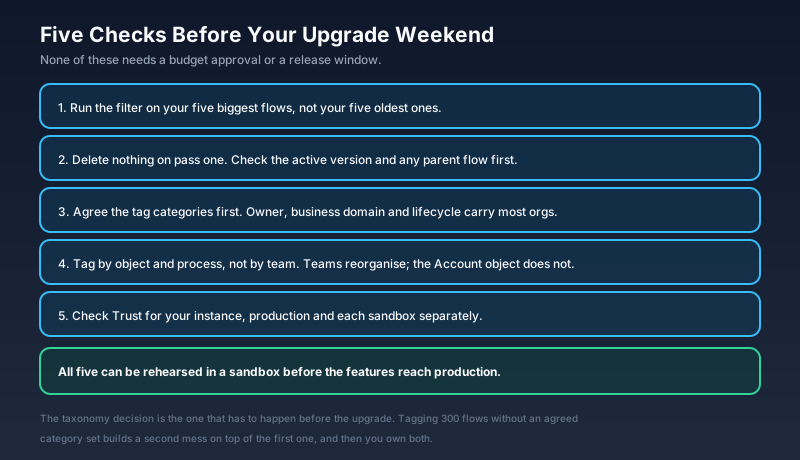
Run the filter on your biggest flows, not your oldest ones. Size is what makes a flow expensive to read, and a 90-element flow with 40 variables is where the payoff sits. Age on its own is not a defect.
Delete nothing on the first pass. Write down what the filter found, then check each resource against the active version and against any parent flow that calls this one as a subflow. The filter reports on one version. Your production traffic does not.
Agree the tag categories before you tag anything. Keep the set small. Owner, business domain and lifecycle stage will carry most orgs. A fourth category is usually one too many, and a taxonomy nobody can recite is a taxonomy nobody applies.
Tag by object and process, not by team. Teams reorganise. The Account object does not. A tag that says "Order Management" survives a restructure that a tag saying "Team Delta" does not.
Put your upgrade weekend in the team calendar. Check it on Trust, for production and for each sandbox separately, because they run on different schedules and assuming otherwise is the most common version of this mistake.
Start with the taxonomy. It costs one meeting, needs no budget approval, and it is the only item on the list that has to happen before the features arrive rather than after. Tagging 300 flows without an agreed category set does not clean anything up. It builds a second mess on top of the first one, and then you own both.
About the Author
Dipojjal Chakrabarti is a B2C Solution Architect with 29 Salesforce certifications and over 13 years in the Salesforce ecosystem. He writes and edits salesforcedictionary.com, published by KineticBit Inc., to help admins, developers, architects, and cert/interview candidates sharpen their fundamentals. More about Dipojjal.
Share this article
Sources
- Winter '27 Release: Organize Your Salesforce Flows With Tags and Categories (Salesforce Ben)
- 17 New Salesforce Flow Features in Winter '27 (Salesforce Ben)
- New Flow Features of Winter '27 Release (Salesforce Time)
- Salesforce Admin's Guide to Model Context Protocol (MCP) (Salesforce Ben)
- Salesforce Winter '27 Release Date + Preview Information (Salesforce Ben)
- Salesforce Winter '27 Release Guide: Key Dates, Major Updates, and How to Prepare (Apex Hours)
- Salesforce Trust (instance maintenance schedule)
- Salesforce Hosted MCP Servers Are Now Generally Available (Salesforce Developers)
- Salesforce Announces Upcoming Investor Events (Salesforce Investor Relations)
- Dreamforce 2026 (Salesforce)
Related dictionary terms
Practise it
Five questions on Administrator
Exam-style questions with an explanation after each one. No account needed, and your answers build a weak-topic map once you have one.
More news
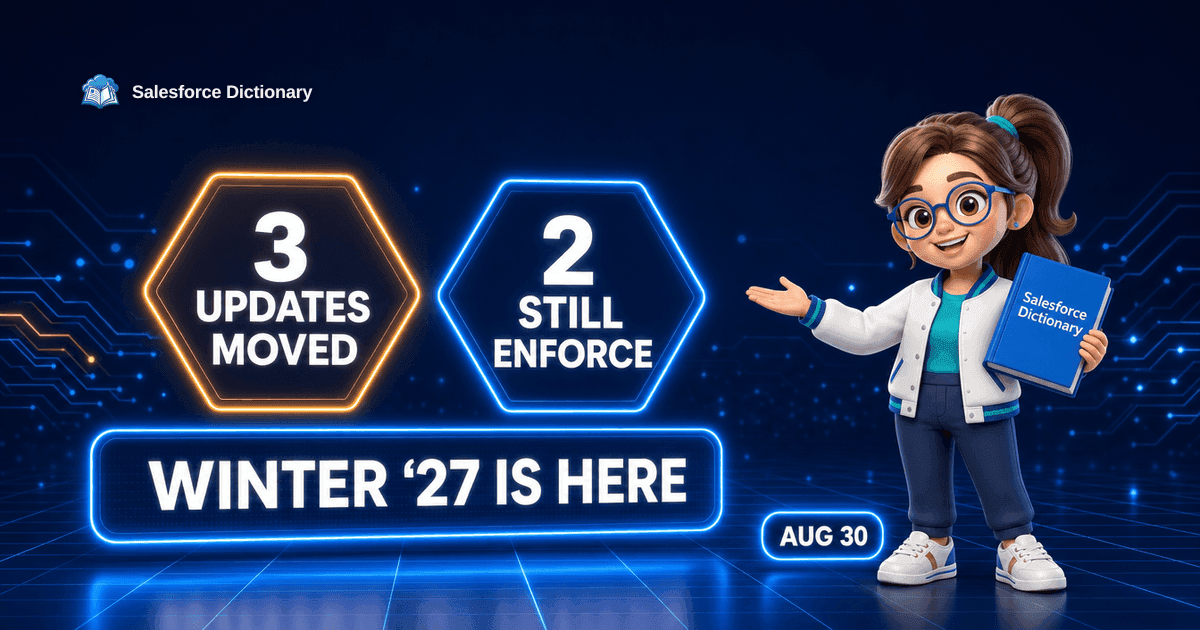
The Winter '27 Enforcement Shuffle
Winter '27 started landing in production this weekend with a shorter enforcement list than the one published on August 19. Three release updates moved out, two still bite, and the checklists disagree. Here is the current state.
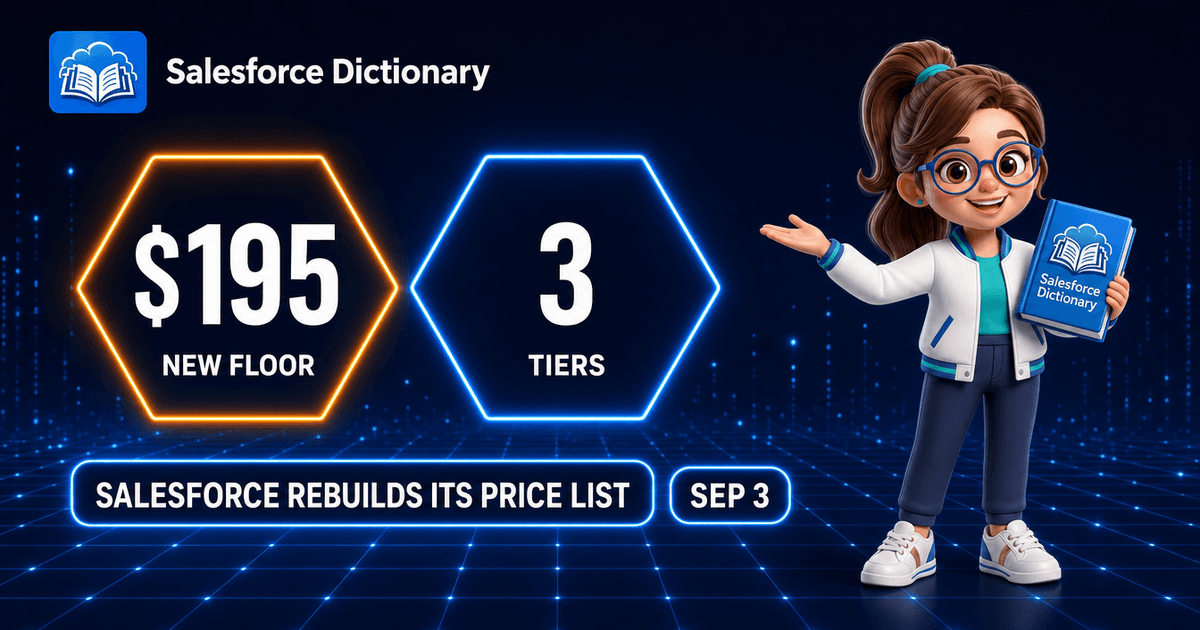
Salesforce Rebuilds Its Price List
Salesforce replaced Enterprise and Unlimited with Core, Advanced and Max editions on 3 September. Here is the real arithmetic, what the bundled Flex Credits actually buy, and what to check before your renewal.
Comments
No comments yet. Start the conversation.
Sign in to share your take on this article. Your account works across every page.