
Winter '27 Release Notes Are Live
Salesforce published the Winter '27 release notes today. The feature list has been circulating for two weeks, so the part worth your afternoon is the Release Updates node: eight items enforce this release, five of them change authentication or permission behavior, and one of the five fails with no warning in the UI at all.
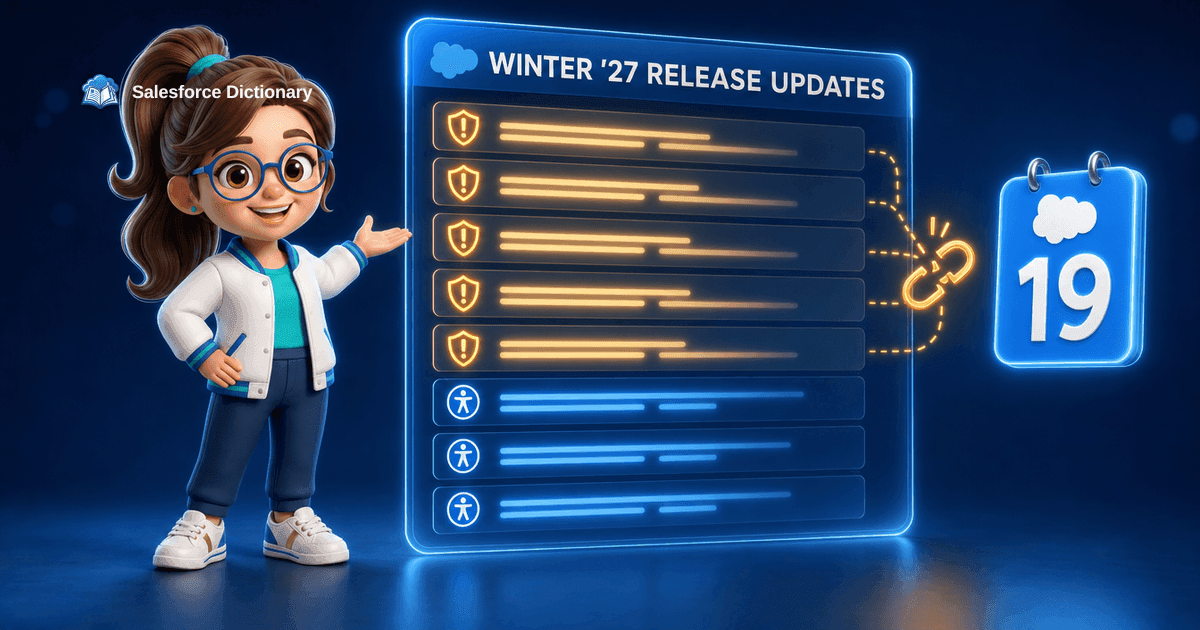
An integration that has posted grant_type=password to your org every fifteen minutes for six years will stop getting a token, on a date you can look up right now, with nothing in Setup to tell you it happened. That is in the Winter '27 release notes, which Salesforce published this morning.
The feature list is not the news. Most of it has been circulating since the pre-release orgs opened on August 13, and the [Flow Builder](/terms/flow-builder) redesign went around the ecosystem two weeks ago. What published today is the authoritative version, and the section of it that will cost somebody a weekend is the Release Updates node.
Eight Updates, Five That Change Behavior
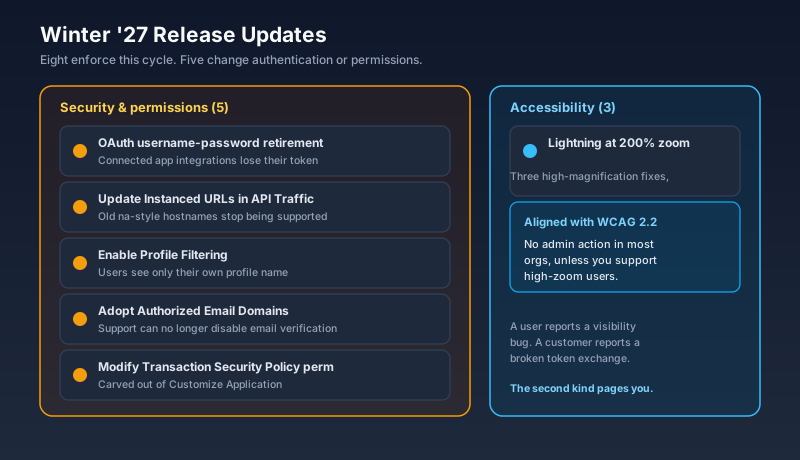
Eight release updates are scheduled to enforce with Winter '27. Five of them touch authentication or permissions. Three are Lightning Experience accessibility improvements for people viewing pages at 200% zoom and higher, aligned with WCAG 2.2, and they need no action from you unless you actively support high-magnification users.
So the working list is five items long, and they are not equally dangerous. Two of them change what a user sees. One changes who can edit a security policy. Two of them can stop traffic between your org and something else, and traffic problems are the ones that page you at night.
Here is the useful distinction: an update that changes visibility gets reported by a user. An update that kills a token exchange gets reported by a customer.
The One That Fails Quietly
Salesforce is retiring the OAuth 2.0 username-password flow for connected apps. Any integration that authenticates by posting a username, a password, and a security token with grant_type=password stops receiving an access token once the update enforces on your org.
There is no deprecation banner for this in the UI. The integration simply starts getting an authentication error, and where that error surfaces depends entirely on whoever wrote the middleware. In a well-built integration it lands in a log somebody reads. In the more common case it lands in a nightly job that silently processes zero records, and you find out when a report is short.
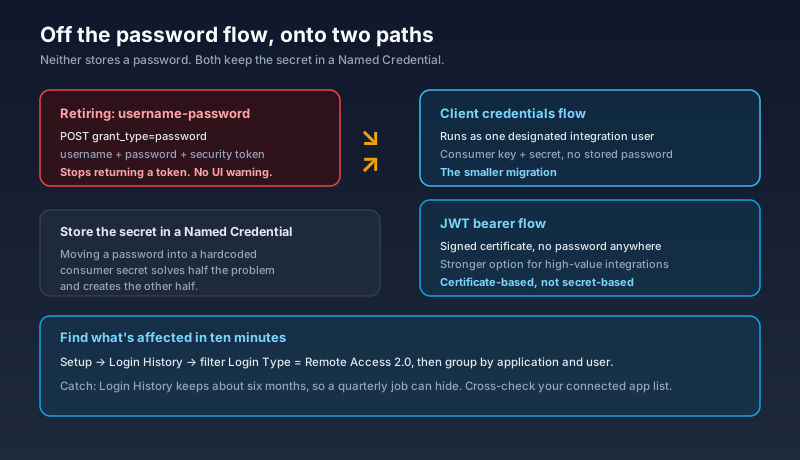
Finding what is affected takes ten minutes. Open Setup, go to Login History, and filter on the login type Remote Access 2.0. Group what comes back by application and user, and you have your inventory. The one catch is retention: Login History holds roughly six months, so an integration that runs quarterly can hide from you. Cross-check against your connected app list rather than trusting the query alone.
Two replacements are supported. The client credentials flow is the smaller change, because the connected app runs as a single designated integration user and no password is stored anywhere. The JWT bearer flow uses a signed certificate instead, and it is the better answer for anything high value. Either way, put the secret in a Named Credential rather than in your integration code, because migrating off a password flow into a hardcoded consumer secret solves half the problem and creates the other half.
Read the Enforcement Date, Not the Release Name
Now the wrinkle, and it is the reason to open the actual release note rather than a summary.
This retirement was originally scheduled to enforce with Winter '27. Salesforce has since moved the enforcement date to February 20, 2027. The item still appears under the Winter '27 release, which is exactly how a team ends up either panicking in September or relaxing until March, depending on which sentence they read.
The general rule holds beyond this one item. Salesforce delays enforcement, narrows scope, or cancels release updates outright, and it did all three this year. The profile permissions retirement was cancelled in July after two years of migration advice. Treat the Release Updates node in your own Setup as the source of truth, because it shows the date your org will actually be held to, and treat every blog summary, this one included, as a pointer to it.
The Other Traffic Stopper Is Older Than It Looks
Update Instanced URLs in API Traffic is the second item that can stop a connection, and it has been deferred more than once already. Once it enforces, API calls aimed at an outdated instanced hostname stop being supported, and the failure happens below your application layer.
If anything still points at something shaped like na139.salesforce.com instead of your My Domain URL, this is the release where that stops working. The usual offenders are not in Salesforce at all. They are middleware config files, an endpoint pasted into a partner's system in 2019, a scheduled script on a server nobody has logged into since the person who built it left.
You can test it ahead of time with the My Domain setting that blocks API traffic using an incorrect instanced URL. One caveat worth knowing: enabling that setting early in 2026 could return a 400 on SOAP login URLs called from Visualforce pages, and Salesforce shipped the fix for that in mid-June. Testing this now is safe. Testing it in May was not, which is why some teams switched it off and never went back.
Two Updates That Change What Users See
Enable Profile Filtering restricts users to seeing only their own profile name unless they hold one of eight bypass permissions, including View All Profiles, Customize Application, and Manage Users.
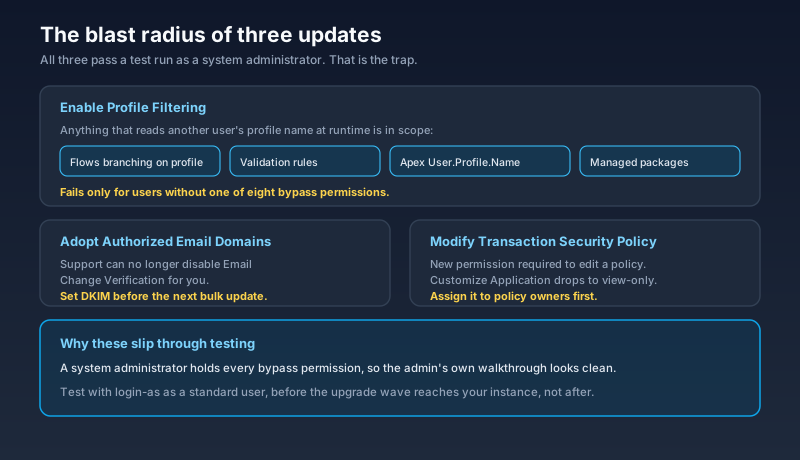
Read that as a behavior change rather than a visibility change and the risk gets clearer. Anything that reads another user's profile at runtime is in scope: a flow that branches on the record owner's profile name, a validation rule comparing profiles, an Apex class that queries User.Profile.Name for somebody other than the running user, a managed package that builds its own routing on profile. None of that throws a syntax error. It just resolves differently, and it resolves differently only for users who lack the bypass permission, which means it will pass every test you run as a system administrator.
You can test this before the upgrade. Toggle Profile Filtering on from User Management Settings, then use login-as to walk your critical paths as a standard user. Granting View All Profiles is the escape hatch, and it should be the fallback rather than the plan, because handing out a broad visibility permission to undo a visibility restriction defeats the point of shipping it.
Adopt Authorized Email Domains is the second one, and its real content is a support-process change. Salesforce Support can no longer disable the Email Change Verification requirement for you. If your org has been running on a Support exception, that exception expires with this release, and the fix is to configure DKIM signing or an Authorized Email Domain before your next bulk user email update rather than during it.
The Permission Carve-Out
The last of the five is small and worth doing on purpose. A new Modify Transaction Security Policy permission becomes required to create, update, or delete a transaction security policy. Customize Application, which used to be enough, drops to view-only for that operation.
This is a carve-out from one of the broadest permissions in the platform, and the direction is right. Customize Application has accumulated a strange amount of authority over the years, and pulling transaction security out of it means you can give one named person control of your policies without also giving them the metadata layer.
The upgrade-day failure mode is obvious and still catches people. Whoever maintains your policies has Customize Application today and will have view-only access tomorrow. Assign the new permission before the release reaches your instance, not after somebody files a case about a policy they can no longer edit.
The Window You Actually Have
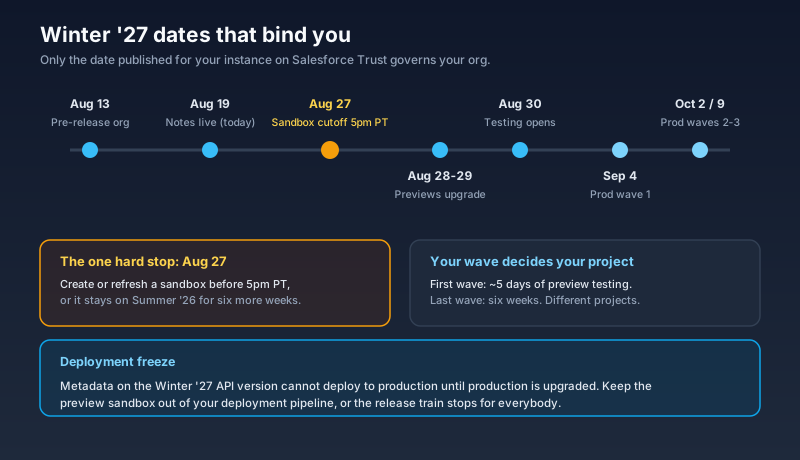
The dates have not moved since the admin countdown published them. Pre-release Developer Edition org signup opened August 13. The notes went live today. The sandbox create or refresh cutoff is 5 p.m. Pacific on August 27, and missing it means your sandbox stays on Summer '26 for another six weeks. Preview instances upgrade over the weekend of August 28 and 29, testing opens August 30, and production upgrades run in waves on September 4, October 2, and October 9 depending on your instance.
Do the arithmetic on your own wave. An org in the first wave has roughly five days of preview testing between August 30 and September 4. An org in the last wave has six weeks. Those are different projects, and only the date published for your instance on Salesforce Trust governs you.
One constraint people rediscover every August: metadata built against the Winter '27 API version cannot be deployed to production until production has been upgraded. Keep the preview sandbox out of your deployment pipeline for the duration, or the release train stops for everybody.
Also This Week
Two items on the periphery, both with deadlines closer than the release.
CRM rallied on Tuesday after Citi's Tyler Radke raised his price target to $204 from $187 while keeping a neutral rating, citing better-than-expected channel checks. Q2 FY27 guidance sits at $11.31 billion in revenue and $3.26 in adjusted earnings per share against consensus of roughly $11.32 billion and $3.27. The number lands August 26, nine days before the first Winter '27 production wave.
Dreamforce runs September 15 to 17 in San Francisco, with more than 1,600 breakout sessions and 50-plus keynotes on the schedule. The $400 saving on full conference passes ends tomorrow, August 20. If your Winter '27 testing budget and your Dreamforce budget come from the same place, that decision is due before the sandbox cutoff.
What To Do Next
Skip the feature highlights for one afternoon and open Setup, then Release Updates, in production. Sort by enforcement date and screenshot the list, because that is the only version of this release that applies to your org.
Then run three queries. Login History filtered to Remote Access 2.0 for the six-month view of your password-flow integrations. A search across your flows, validation rules, and Apex for anything reading another user's profile name. Your list of transaction security policy owners, checked against who holds Customize Application today.
Whatever those three turn up is your Winter '27 project. Everything else in the notes is a feature you can learn in October.
About the Author
Dipojjal Chakrabarti is a B2C Solution Architect with 29 Salesforce certifications and over 13 years in the Salesforce ecosystem. He writes and edits salesforcedictionary.com, published by KineticBit Inc., to help admins, developers, architects, and cert/interview candidates sharpen their fundamentals. More about Dipojjal.
Share this article
Sources
- Admin Release Countdown: Get Ready for Winter '27 (Salesforce Admins)
- Salesforce Winter '27 Security Readiness: The Release Updates and the Sandbox Window to Test Them (Software Insights)
- Salesforce Retires the OAuth Username-Password Flow in Winter '27: Migrate Before Your Integrations Break (Software Insights)
- Retirement of OAuth 2.0 Username-Password Flow for Connected Apps (Release Update, Salesforce Help)
- Salesforce Winter '27 Release: What to Expect and How to Prepare (Salesforce Ben)
- Salesforce Winter '27 Release Date and Preview Information (Salesforce Ben)
- Salesforce Winter '27 Release Guide: Key Dates, Major Updates, and How to Prepare (Apex Hours)
- Salesforce Sandbox Preview Instructions (Salesforce Help)
- What is the Impact of the Salesforce User Management Setting: Profile Filtering? (Veeva Product Support)
- Why Salesforce Stock Rallied Today (The Motley Fool, August 18 2026)
- Dreamforce Conference 2026 (Salesforce)
Related dictionary terms
Practise it
Five questions on Administrator
Exam-style questions with an explanation after each one. No account needed, and your answers build a weak-topic map once you have one.

Comments
No comments yet. Start the conversation.
Sign in to share your take on this article. Your account works across every page.