

Salesforce shipped Summer '26 the week of April 20, 2026. The cover art has Astro on a beach with a coconut, but the release itself is anything but vacation reading. Eight hundred and twenty two pages of release notes carry one consistent message: this is the season the agentic enterprise stops being a keynote slide and starts being how the platform actually works.
The product names you've used for fifteen years are getting replaced. The default collaboration tool in new orgs is changing. Apex is enforcing security by default for the first time. Voice agents now route over SIP. Sandboxes can opt into a "Dev channel" that previews features weeks before GA. Salesforce data shows up inside Google Gemini.
These ten features are the ones that will reshape how you architect, build, and explain Salesforce for the next year. They are not ranked by which Trailhead module gets updated, but by which decisions you need to make differently after Summer '26 hits your sandbox.
1. Sales Cloud and Service Cloud Become Agentforce Sales and Agentforce Service
The biggest naming change of the year is also the simplest. [Sales Cloud](/terms/sales-cloud) is now Agentforce Sales. [Service Cloud](/terms/service-cloud) is now Agentforce Service. Service Cloud Voice is now [Salesforce Voice](/terms/salesforce-voice). Field Service follows the same pattern, becoming Agentforce Field Service. The functionality, licensing SKUs, and underlying objects do not change. The product names and references in Setup, documentation, partner contracts, and certifications do.
Reading the Sales and Service release notes today, you'll see the rebrand show up everywhere: "Sales Cloud is now Agentforce Sales. You may see references to Sales Cloud in Salesforce applications and documentation." The same disclaimer runs at the top of the Service section.
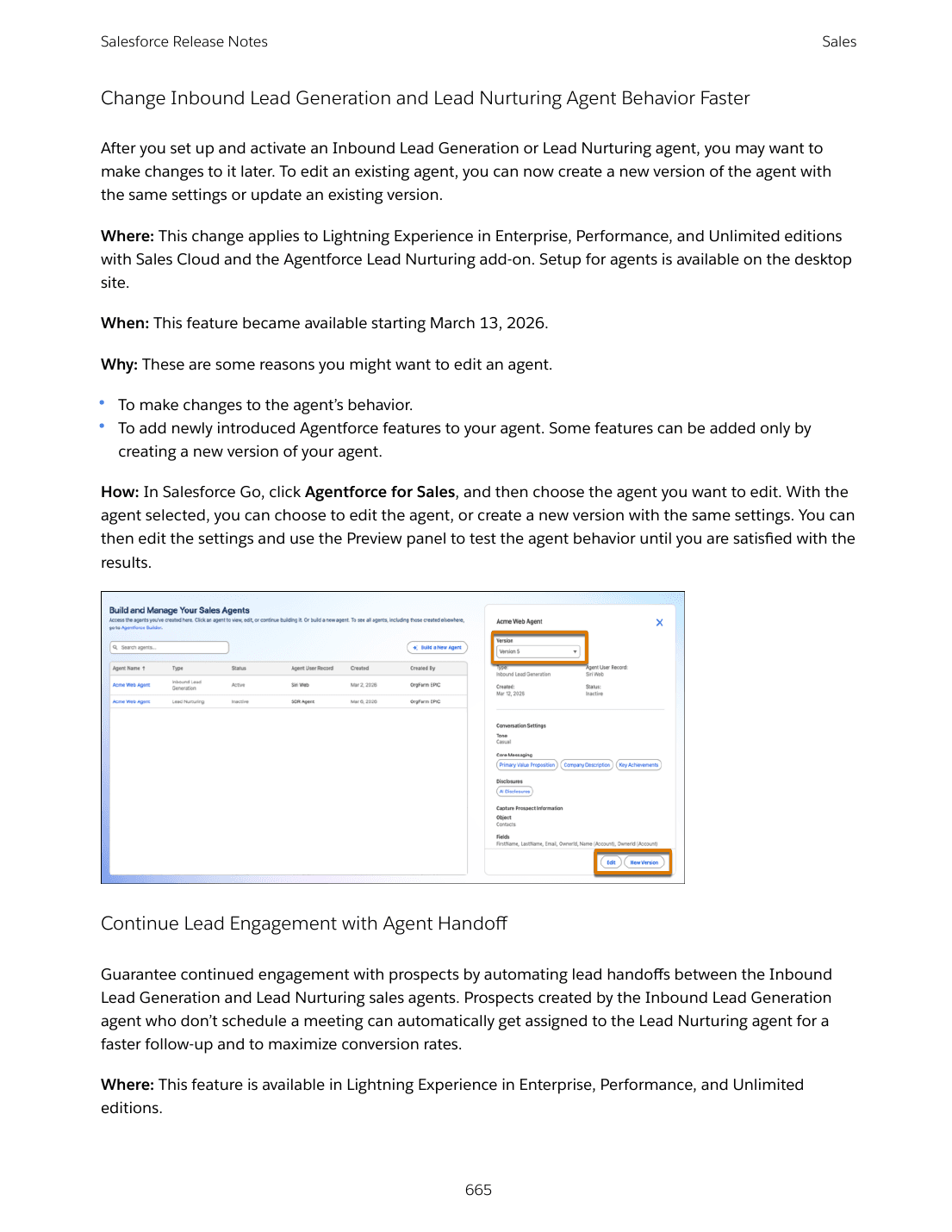
For architects and consultants, the rename is more than cosmetic. It is Salesforce reframing the core CRM clouds around the agentic-enterprise positioning. When you write a statement of work, design a target architecture, or argue for an agent-led service strategy, the words "Agentforce" and "agent" are now first-class citizens in the product taxonomy, not optional add-ons.
For admins, the practical impact is naming hygiene. List views, custom labels, internal documentation, and training materials that say "Sales Cloud" or "Service Cloud" still work, but they read dated. For developers, expect Trailhead modules and certification names to follow over the next two releases.
2. Multi-Agent Orchestration for Agentforce (Beta)
Multi-Agent Orchestration is the most architecturally significant beta in Summer '26. Until now, an Agentforce agent has been a single thing: one set of instructions, one bag of actions, one personality. Multi-Agent Orchestration lets you connect specialized subagents under an orchestrator agent. Each subagent shows up as a connected resource the orchestrator can call, with a custom description that governs when and how to delegate.
In practice you build the orchestrator like any other agent in Agent Builder. From the Explorer panel, you click + and select Connect Agent as Subagent. You pick one or more existing agents, give each a description that explains its lane, and the orchestrator can hand off to them inside a single conversation. If your orchestrator uses Agent Router, you specify routing logic in Canvas view and reference each subagent under Actions Available for Reasoning with the @ symbol.
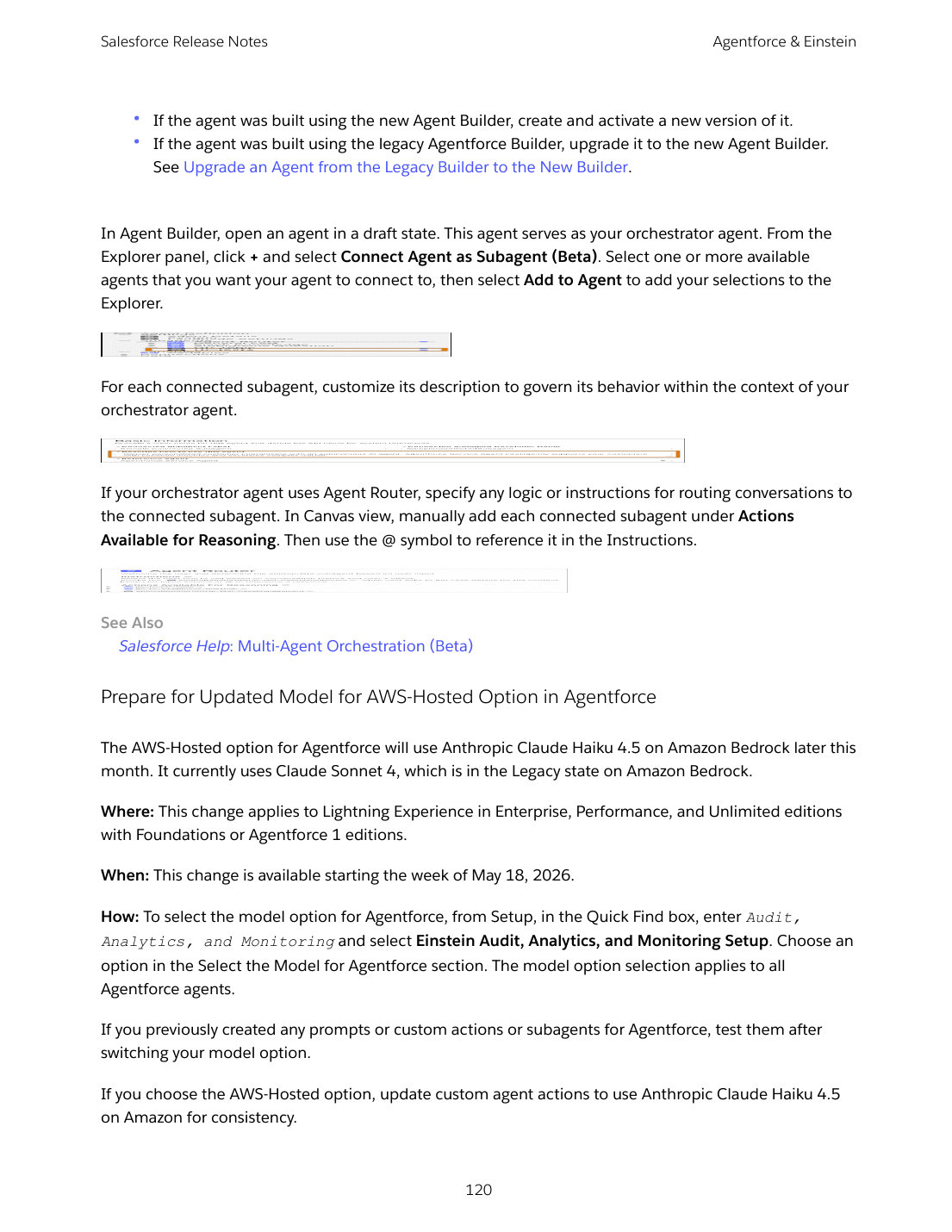
The pattern that mattered for the agentic enterprise was always going to be specialization. A "billing agent" trained on dunning policy, a "shipping agent" connected to the carrier API, a "knowledge agent" wired into Data 360 Enterprise Knowledge: each one is more reliable than a single generalist that knows everything. Multi-Agent Orchestration is how you compose them into a single point of contact for the user.
This is beta starting the week of May 4, 2026, gated behind Foundations or Agentforce 1 editions. Customers not in the prior pilot must explicitly upgrade existing agents to the new Agent Builder before they can be connected as subagents. Plan a sandbox build now: pick two existing agents, define their lanes, and stand up an orchestrator that delegates between them. Most of the agent-platform decisions you make in 2026 will assume this composition model exists.
3. Agentforce Voice Native Telephony Reaches Parity
Salesforce has been quietly rebuilding voice into a native channel for the agentic enterprise, and Summer '26 is when Salesforce Voice Native Telephony catches up to the third-party Telephony Provider model on almost every dimension.
The headline change is SIP routing GA. Voice calls can now be routed to an Agentforce Service agent over Session Initiation Protocol, replacing the previous PSTN-only model. SIP is cheaper, more flexible, and lets you treat voice as just another channel that lands on the Omni-Channel routing layer.
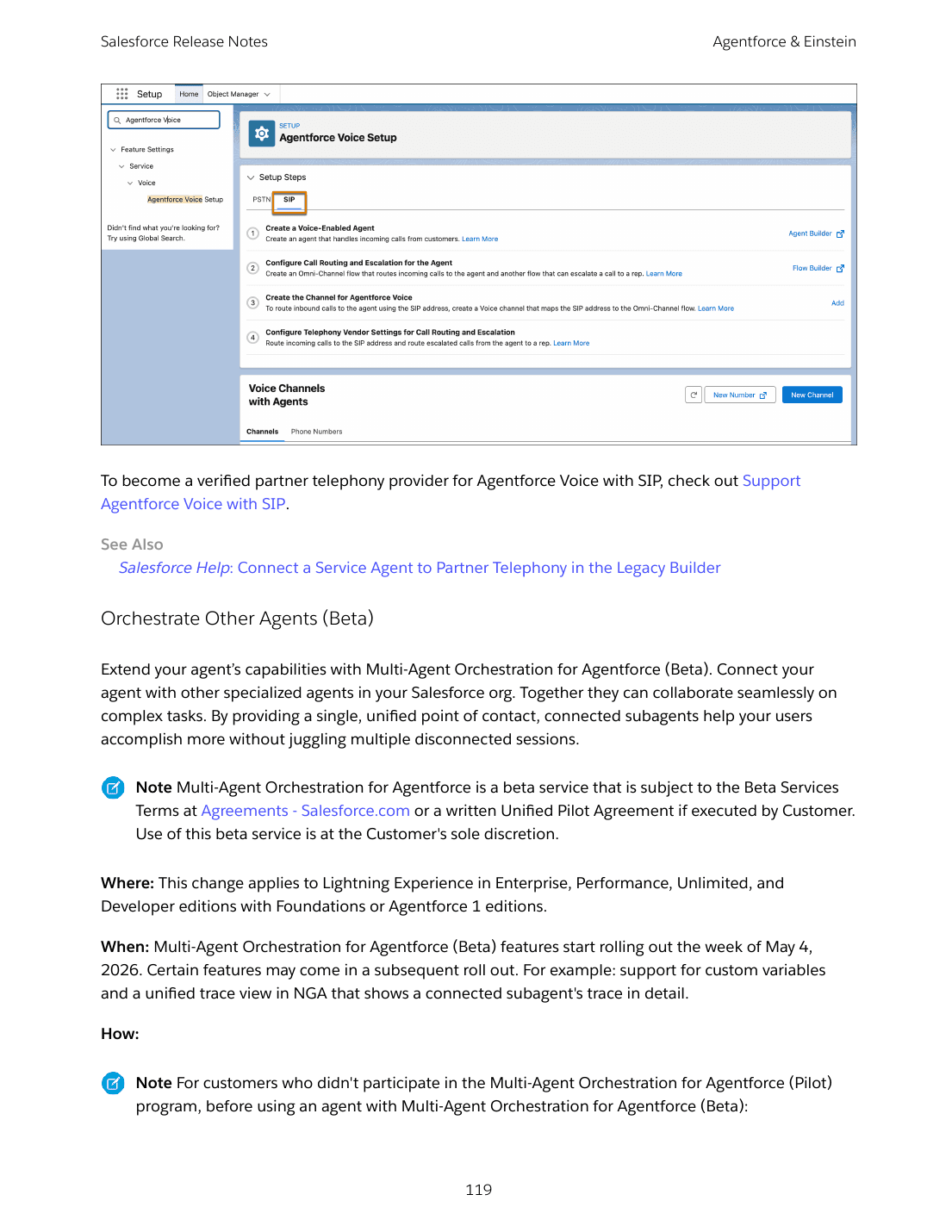
The supporting changes are where the parity story lives. Headset support across Plantronics, Sennheiser, Jabra, Yealink, and VBeT now works on Native Telephony, not just on Telephony Providers. Automatic Session Restoration recovers active calls and softphone sessions through accidental browser reloads. Voicemail Drop and personalized inbound voicemail greetings reduce manual rep effort. Eleven new IVR regional dialects with text-to-speech voice profiles round out the experience.
The two architectural shifts to plan around: SLA-Based Routing prioritizes voice calls by acceptance due date so urgent breaches surface ahead of older work. Last Support Rep Routing reconnects callers with the rep they spoke to last, preserving relationship continuity through a flow callback.
For consultants pitching contact-center modernization, "Salesforce Voice on SIP with Agentforce Service" is now the credible path. For architects, the implication is that voice is no longer an integration choice. It is a first-party Salesforce channel that supports the same routing, sharing, and reporting as case and messaging.
4. Agentforce Sales Agent for Gemini (Beta)
The most surprising integration of Summer '26 is happening outside of Salesforce. Agentforce Sales Agent for Gemini (Beta) lets sellers research leads, build account plans, and update Salesforce records without leaving Google Gemini. The agent connects to live CRM data through secure Salesforce APIs, so what shows up in the Gemini conversation is current and authoritative.
It is the first time a major CRM has put a CRM-native agent inside another vendor's chat experience as a first-class beta. Available since April 22, 2026 in English only, with Enterprise, Performance, and Unlimited editions on the Agentforce for Sales add-on. Setup runs out of Salesforce Go: search for Agentforce Sales Agent for Gemini, then a Gemini-side connection step where each user authenticates their Salesforce account.
For sales architects, this is a deeper question than a feature toggle. If your sellers live in Gemini, do they need the standard Salesforce UI at all? For data architects, it raises the harder question of which surface owns the system of record when multiple AI experiences can write back to Salesforce. There is no clean answer yet, but the bet Salesforce is making is that the more places customer-facing agents can read and update CRM data, the more sticky that data becomes.
The right move this release is to enroll in the beta with one sales pod, measure how often reps choose Gemini over Salesforce for everyday updates, and use the data to inform your AI surface strategy for FY27.
5. Apex Database Operations Run in User Mode by Default
Buried in the Development section is the most consequential default-security shift the platform has made in years. In Summer '26, [Apex](/terms/apex) database operations run in user mode by default, not system mode. Object-, field-, and record-level security settings of the running user are enforced. SOQL queries no longer support the WITH SECURITY_ENFORCED clause, because the enforcement is now built in.
Read that again. For ten years, Apex developers have had to opt in to user-mode access through WITH SECURITY_ENFORCED, Security.stripInaccessible(), or explicit access checks. Code without those guards ran with the running user's profile but with elevated database privileges. That gap was a frequent source of subtle data exposure bugs.
Summer '26 inverts the default. New code is safe unless you explicitly request system mode, which now requires the as system clause in the SOQL or DML statement.
For application architects with mature codebases, this is a serious migration. Existing Apex that quietly relied on system-mode behavior to bypass permission checks will start raising INSUFFICIENT_ACCESS errors as soon as the org is upgraded. The mitigation is straightforward but tedious: review every SOQL or DML in each Apex class, decide whether it should run as user or system, and add the explicit clause where needed.
A few related Summer '26 changes pile on. Queueable and Future job execution gets a new elastic limit. Multiline strings (triple single-quote) and string interpolation arrive as language features. The deprecated Block Apex Anonymous Code Execution from Managed Packages release update is scheduled to enforce in Summer '27. Plan an Apex audit now, not in late 2026.
6. Slack Channels Replace Chatter as Default in New Orgs
In Salesforce orgs created in Summer '26 and later (Enterprise, Unlimited, and new Developer editions), Chatter is turned off by default. [Slack](/terms/slack) channels are the default collaboration surface. New record pages get a Slack panel for in-record collaboration. Existing orgs are unaffected.
This is more than a default change. It is Salesforce telling new customers that the canonical place to collaborate on a record is Slack, not the Chatter feed. Chatter still exists, can be enabled in Setup with one click, and is still required for Case Feed and certain Experience Cloud sites. But its role has shifted from primary collaboration channel to a fallback for cases where Slack is unavailable.
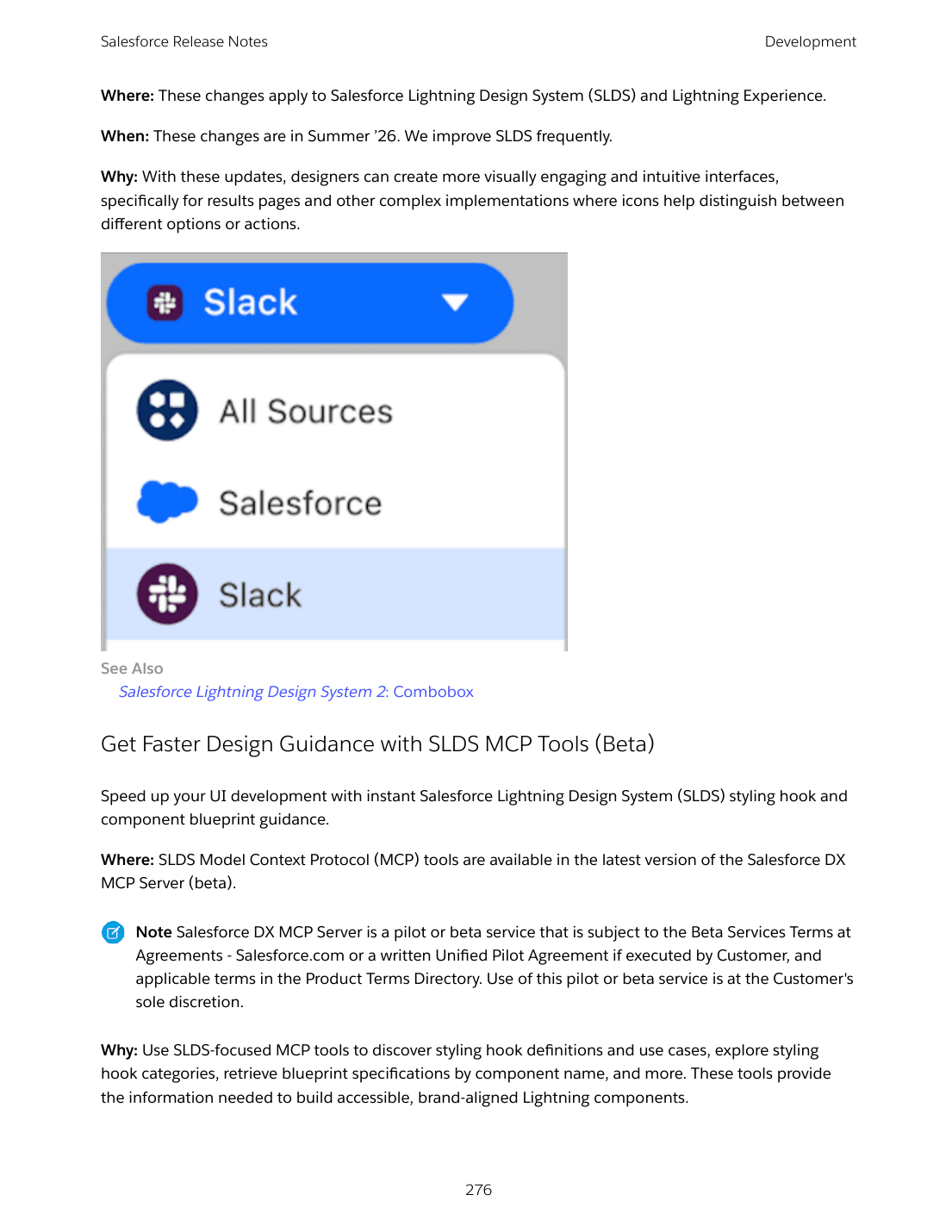
For consultants, the messaging in customer pitches now flips. The "Salesforce ships with Chatter" line is replaced by "Salesforce ships with Slack channels on every record page." The licensing question that follows is real: Slack channels in Enterprise and Unlimited editions are included, but the depth of Slack functionality customers will want still scales with their Slack plan.
For admins migrating an existing org, do not turn Chatter off in production without a plan. Chatter feed history, Chatter REST API integrations, and Case Feed all break. The greenfield-only default is intentional. Salesforce wants to phase the change in, not force it.
For architects, the right decision question is whether to enable Slack channels manually in your Essentials, Professional, Performance, or Developer editions where the default does not apply. If your customer is already on Slack, the answer is yes.
7. Salesforce Release Manager (Beta) and Live Preview GA
Two long-awaited developer-experience features land together in Summer '26. Salesforce Release Manager (Beta) introduces a Dev channel that sandboxes can opt into. The Dev channel exposes pilot, beta, limited-release, and developer-preview features weeks before they roll out to the standard channel. Production environments stay on the standard channel and continue to receive a major update every four months.
When a sandbox is on the Dev channel, the org shows a different "DEV" Salesforce logo, a small but useful UX cue.
Alongside Release Manager, Live Preview is now generally available. What used to be called Local Dev now runs as Live Preview in three flavors: Single Component Live Preview (a real-time browser preview of one Lightning web component), Experience Sites Live Preview, and the Live Preview VS Code Extension (which now also previews React components in beta via Agentforce Vibes).
State Managers for LWC also reach GA, finally letting pro-code developers decouple data logic from component presentation in a structured way. Combined with LWC API v67.0 and the new lightning-combobox icon variant, the developer toolchain is meaningfully better than it was in Spring '26.
The strategic decision for development leads is whether to put one or two sandboxes on the Dev channel. The downside is that beta features can lack accessibility and documentation. The upside is that the team builds intuition for features six to nine months before they hit production. For platforms with a long internal review cycle, that lead time is valuable.
8. People Scoring and Web Tracking in Salesforce Foundations
Salesforce Foundations gains two native marketing automation features in Summer '26 that materially close the gap with Marketing Cloud Engagement and Account Engagement.
People Scoring stops the guessing game on which leads and contacts are ready to convert. It evaluates ICP fit (demographic and firmographic traits) and engagement behavior, assigns points per rule, and refreshes scores on the cadence you choose. Configuration is in the Scoring Models setup page in Foundations. After publishing, scores update on contact and lead records and can drive segmentation, list views, and routing.
Web Tracking adds first-party visitor tracking to your Marketing Landing Pages site or any external site you instrument with a website connector and embed code. Activity from internal landing pages and external pages flows into a unified view of the customer's journey, and the data feeds high-intent segments and personalized email campaigns.
For architects sizing a marketing stack for a mid-market customer, the calculus changes. People Scoring plus Web Tracking inside Foundations means you can avoid (or delay) a paid marketing automation product for a meaningful subset of use cases. The combination is not a replacement for Marketing Cloud Engagement, but it is a credible starter for the segment of customers who needed lead scoring and landing pages and could not justify Pardot pricing.
For admins, set up the consent banner before turning Web Tracking on. The release notes call it out explicitly, and getting consent wrong on a public landing page is the kind of mistake that takes a full Trust Center notification to clean up.
9. Security Center with Agentforce (Beta)
The Security, Identity, and Privacy section of Summer '26 introduces Security Center with Agentforce (Beta) with three connected features that change how a small SecOps team handles incidents in a large org.
Focus Security Investigations with Anomaly Triage (Beta) consolidates related security anomalies from the same user session or activity within 24 hours into a single investigation. Instead of triaging seventeen alerts, your team gets one investigation with the related signals already grouped.
Follow Incident Timelines for Investigations (Beta) auto-correlates Event Monitoring data into a chronological timeline of what the user did before, during, and after the anomaly. The Security Agent does the legwork that an analyst would otherwise spend an hour on per case.
Get Remediation Plans for Security Incidents (Beta) generates standardized step-by-step containment actions tailored to the detected anomaly. Not every step will run, but having a default playbook surfaced before triage starts changes the median time-to-respond.
All three are beta starting May 11, 2026, gated behind a Security Center license, the Agentforce Platform add-on, and (for full functionality) an Event Monitoring license. The combination is licensing-heavy, but for enterprises already running Security Center, this is the first AI-assisted SecOps experience that integrates natively into the platform's existing audit and threat data.
The architect view: AI-driven SecOps is going to look different in two years than it does today. Pilot now to understand which signals correlate well, where the agent gets remediation wrong, and how your SOC team integrates the timeline into existing runbooks.
10. TLS Certificates, IPv6, and WCAG 2.2: The Trust Layer Modernizes
The least exciting features in Summer '26 are also the most universally important. Three industry-aligned changes affect every Salesforce org and customer.
TLS certificate lifespans drop to 200 days. Effective March 15, 2026, the maximum lifespan for new public TLS certificates is 200 days, down from 398. The CA/Browser Forum is phasing toward 100 days on March 15, 2027 and 47 days on March 15, 2029. Salesforce will stop posting individual certificate-rotation announcements through the Trailblazer Community on July 6, 2026. If you pin certificates anywhere in your stack, stop pinning. Review every integration that uses certificate-based authentication and audit your renewal cadence. mTLS users with certificates from a public CA in the Chrome Trusted Root List have an extra deadline: transition to separate certificate hierarchies before March 15, 2027.
IPv6 support starts rolling out. Government Cloud orgs receive IPv6 first in 2026; other orgs no earlier than 2027. The actionable item is that any IP allowlists in your network or Salesforce profile login IP ranges will need IPv6 ranges added. There is no correlation between a user's IPv6 and IPv4 addresses, so coordinate with your network team. Salesforce will provide IPv6 addresses at least two months before enforcement.
WCAG 2.2 enforcement for page headers and modal windows. Lightning Experience adapts page headers and modals when users zoom past 200%. Other accessibility updates (date pickers, popovers, bottom utility bars, record headers) are enforced in Summer '26 with the same release update. Cards, docked containers, menu lists, panels, To Do lists, and dual listboxes follow in Winter '27 and Spring '27. Test now in a sandbox at 400% zoom.
These are not glamorous, but they are all hard-deadline items. Add them to your release-readiness checklist before the merge freeze.
What this release means
The agentic-enterprise positioning has been Salesforce marketing for two years. Summer '26 is the release where the platform stops talking about it and starts shipping the architectural primitives that make it real. Multi-Agent Orchestration is the composition model. Native voice on SIP is the new channel. The Sales Agent for Gemini is the surface bet. Apex user mode by default is the security floor. Slack on every record page is the collaboration surface.
The right way to read these ten features as an architect is not as a feature list, but as a coordinated strategy. Decide which ones you pilot, which ones you prepare your customers for, and which ones change your reference architecture for FY27. Most of these decisions are easier to make now, in a sandbox, than after GA hits production on June 13, 2026.