
Healthcare Plan
A Healthcare Plan in Salesforce Health Cloud is the data that records which insurance a patient carries and what that insurance covers.
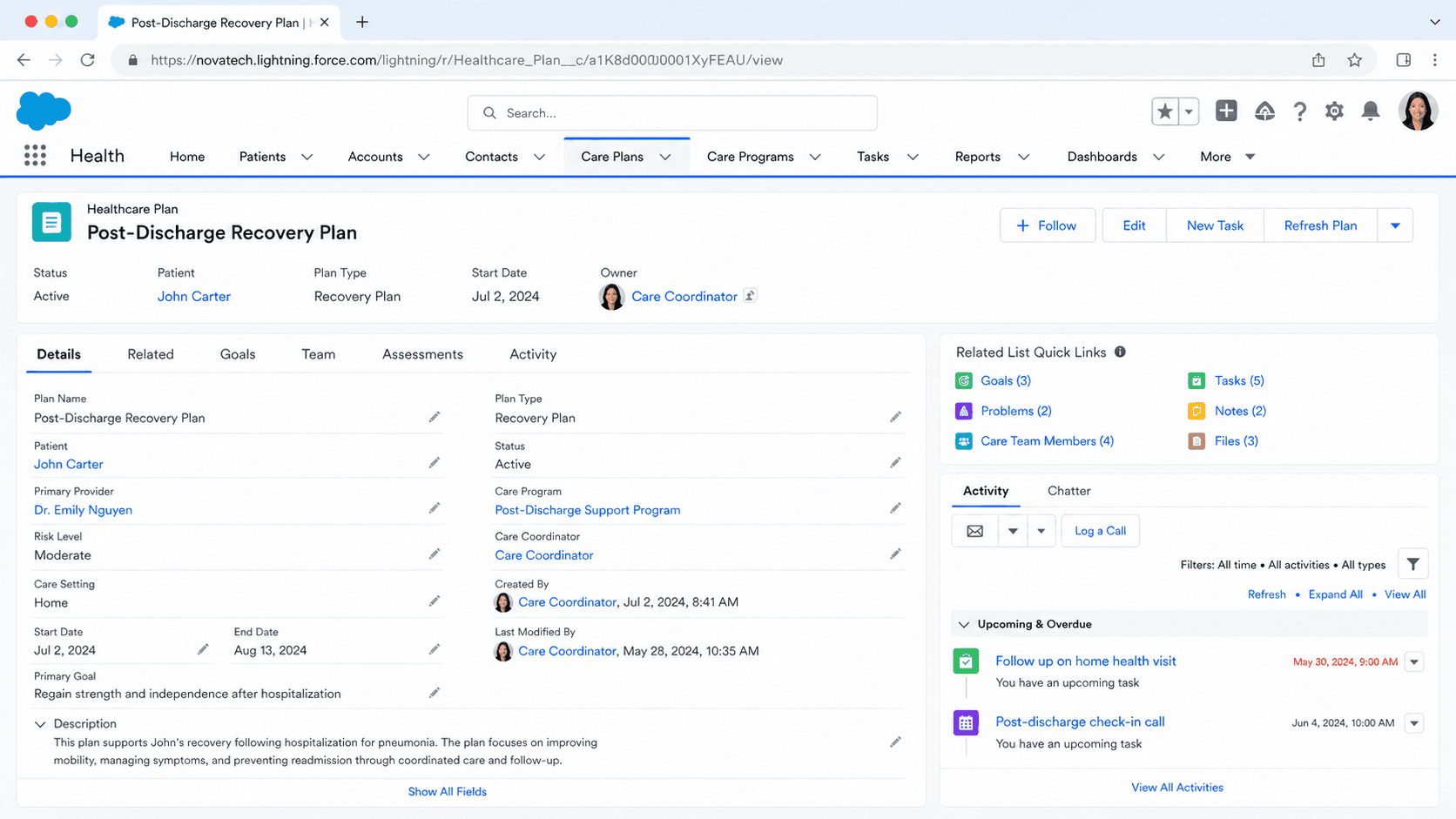
Definition
A Healthcare Plan in Salesforce Health Cloud is the data that records which insurance a patient carries and what that insurance covers. The patient side of this lives on the MemberPlan object, which represents the insurance coverage held by a specific member or subscriber. The benefits attached to that coverage, including copays, coinsurance, deductibles, and out-of-pocket limits, are stored in CoverageBenefit and CoverageBenefitItem records linked back to the member plan.
Health Cloud keeps two sides of the plan separate. The purchaser side describes the plan a sponsor (an employer or government program) buys and offers, modeled by Purchaser, PurchaserPlan, PlanBenefit, and PlanBenefitItem. The member side describes one person's actual enrollment in that plan. This split lets a payer define a plan once, then enroll thousands of members against it without copying the benefit rules onto every record.
How Health Cloud models a patient's insurance
MemberPlan: the patient's coverage record
MemberPlan is the object you reach for when you want to know what insurance a patient has. Each record represents the coverage for one member or subscriber, tied to the patient through a lookup to their Account or Contact. The record holds the member identifier, the plan name, the coverage status, and the effective date range that says when the coverage starts and ends. It also captures the subscriber relationship, so you can tell whether the patient is the policyholder or a dependent on someone else's plan. A single patient can carry more than one MemberPlan at the same time, which is how Health Cloud handles a commercial plan as primary and Medicare as secondary. Because the dates are explicit, the platform can show only the coverage that is active on the date of service. Most teams populate MemberPlan from an integration rather than by hand, since coverage changes whenever a patient switches jobs or plan years roll over. The record is the anchor that benefits, eligibility checks, and authorization requests all point back to.
Purchaser plans versus member plans
Health Cloud draws a clear line between the plan a sponsor offers and the plan a member holds. On the purchaser side, the Purchaser object is the organization that buys coverage, usually an employer or a government program. PurchaserPlan is the specific plan that purchaser makes available, and PlanBenefit plus PlanBenefitItem spell out the standard benefits inside that plan. None of these records belong to any one patient. They are the template. On the member side, MemberPlan is one person's enrollment in a plan, and CoverageBenefit records describe the benefits that apply to that person. The reason for the split is scale and accuracy. A payer defines the rules for a Silver PPO once on the purchaser side. When ten thousand people enroll, each gets a MemberPlan that references the plan, not a fresh copy of every benefit line. If the plan rules change, the change happens in one place. This is the same pattern you see in insurance data models elsewhere, where the policy product and the policyholder's instance are separate.
Benefits verification and cost share
Benefits Verification is the Health Cloud feature that confirms a patient's coverage and reads back what they will owe. It connects to an external benefits service, sends the patient and plan details, and writes the response into CoverageBenefit and CoverageBenefitItem records linked to the MemberPlan. Those records carry the cost-sharing numbers a front-desk or billing user needs: the copay for a visit, the coinsurance percentage, how much of the deductible is met, and the out-of-pocket maximum. A patient service representative can run verification before a visit and see in one place whether the service is covered and what the patient responsibility is. Admins configure this through the Benefits Verification setup, which includes wiring up the service connection, defining care limit types, and placing the Benefits Verification component on the record page. Done well, it replaces the manual phone call to the payer that used to gate every appointment. The same data can feed a cost estimate that the patient sees before they decide to schedule.
Prior authorization with Care Request
When a payer needs to approve a service before it happens, Health Cloud handles it through Utilization Management. The authorization itself is a Care Request, the object that captures a request to a health plan to authorize a drug, a service, or an admission. Care requests also cover admission notifications, concurrent reviews, appeals, and grievances, so the same model carries the full authorization lifecycle. The patient's MemberPlan tells the system which payer and plan the request goes to. Health Cloud ships OmniStudio components, including OmniScripts, that guide users through creating a request and then through the admin, nurse, and medical director reviews that decide it. Peer-to-peer review with the requesting provider is supported as well. The data model aligns with FHIR R4 so requests and decisions can move between Salesforce and external clinical systems. CarePreauth is the related object that records an authorization tied to a specific course of care. Keeping authorization on its own object, rather than folding it into a case, gives payers the structured fields they need for review timelines and decision tracking.
Networks and in-network steering
A plan is only useful to a patient if they can see which providers it covers. Health Cloud models payer networks so referrals and scheduling can steer toward in-network care. HealthcarePayer represents the insurance company, and HealthcarePayerNetwork represents a named network inside that payer, such as an HMO or PPO offering in a given region. Provider records associate with a network, which lets a referral flow filter a specialist directory down to the providers a patient's plan will cover at the lower cost share. That filtering is what reduces the surprise out-of-network bills that frustrate patients and create write-offs for providers. Because a member's MemberPlan points at the plan and its network, the system can reason about coverage and network together. For organizations that also run on Financial Services Cloud or the broader insurance data model, the network and policy structures are designed to line up, so a payer running multiple lines of business is not maintaining two unrelated models.
Populating plan data from integrations
Healthcare organizations rarely type plan data into Salesforce by hand. The source of truth is usually an electronic health record like Epic or Cerner, or a clearinghouse that brokers eligibility transactions. MuleSoft and Health Cloud integration patterns move the coverage data in, mapping the incoming fields onto MemberPlan, CoverageBenefit, and the related records. Eligibility data tends to refresh on a schedule or on demand through a real-time benefits check at the point of care. The reason to automate is simple: coverage goes stale the moment a patient changes plans, and a manual record will not catch that. The Health Cloud data model is built to receive this feed, with FHIR alignment on the membership and utilization models so external systems can speak a common language. When you design the integration, decide early how often coverage refreshes and how you handle a member who appears on two active plans, because both choices shape what eligibility and billing see downstream.
Creating a MemberPlan record
Most MemberPlan records arrive through an integration, but admins and developers do create and test them directly when configuring Benefits Verification or seeding a sandbox. Here is the shape of creating one by hand.
- Confirm Health Cloud and the insurance model are enabled
MemberPlan ships with Health Cloud. Make sure the org has Health Cloud provisioned and that your user has read and edit access to MemberPlan and the related CoverageBenefit objects through a permission set.
- Identify the member and the plan
Decide which patient the coverage belongs to and which plan they enrolled in. You will link the MemberPlan to the patient through the member field and reference the payer and plan details that the coverage represents.
- Create the MemberPlan record
From the MemberPlan tab or via the API, create a new record. Set the member, the plan name, the status, and the effective date range. Add the subscriber relationship if the patient is a dependent rather than the policyholder.
- Attach coverage and benefits
Run Benefits Verification or load CoverageBenefit and CoverageBenefitItem records so the copay, coinsurance, deductible, and out-of-pocket figures hang off the member plan and surface where staff need them.
The patient the coverage belongs to, linked through the Account or Contact the MemberPlan references.
A label for the member plan, often the plan or product name the patient is enrolled in.
Whether the coverage is active, inactive, or pending, which controls whether eligibility treats it as in force.
The start and end dates of the coverage, used so the platform shows only the plan active on the date of service.
- Two active MemberPlan records on the same date for one patient will produce overlapping eligibility and confuse billing. Keep effective dates clean.
- Do not confuse MemberPlan (the patient's coverage) with PurchaserPlan (the plan a sponsor offers). They sit on opposite sides of the model.
- Prefer an integration over manual entry for production data. Hand-keyed coverage falls out of date the day after a patient changes plans.
Prefer this walkthrough as its own page? How to Healthcare Plan in Salesforce, step by step
Trust & references
Cross-checked against the following references.
Straight from the source - Salesforce's reference material on Healthcare Plan.
Hands-on resources to go deeper on Healthcare Plan.
About the Author
Dipojjal Chakrabarti is a B2C Solution Architect with 29 Salesforce certifications and over 13 years in the Salesforce ecosystem. He writes and edits salesforcedictionary.com, published by KineticBit Inc., to help admins, developers, architects, and cert/interview candidates sharpen their fundamentals. More about Dipojjal.
Test your knowledge
+5 pts / dayQ1. In the Health Cloud insurance model, which Healthcare Plan object represents a specific plan SKU such as Aetna Silver 2026?
Q2. When a patient checks in and the rep queries the payer for eligibility, which FHIR resource maps into the Healthcare Plan coverage records?
Q3. How does the HealthcarePayerNetwork object in a Healthcare Plan reduce out-of-network surprise bills during a referral?
Discussion
Loading discussion…